Overview
When designing a Weblayer, you can work in the visual editor, the code editor, or combine both approaches.
The visual editor is designed for easier, no-code editing through UI controls (text inputs, color pickers, and so on). The code editor allows you to modify the Weblayer’s HTML, CSS, and JavaScript directly.
In practice:
- Use the visual editor for routine content and styling updates.
- Use the code editor for custom structure, advanced functionality, or creating new templates.
Visual builder
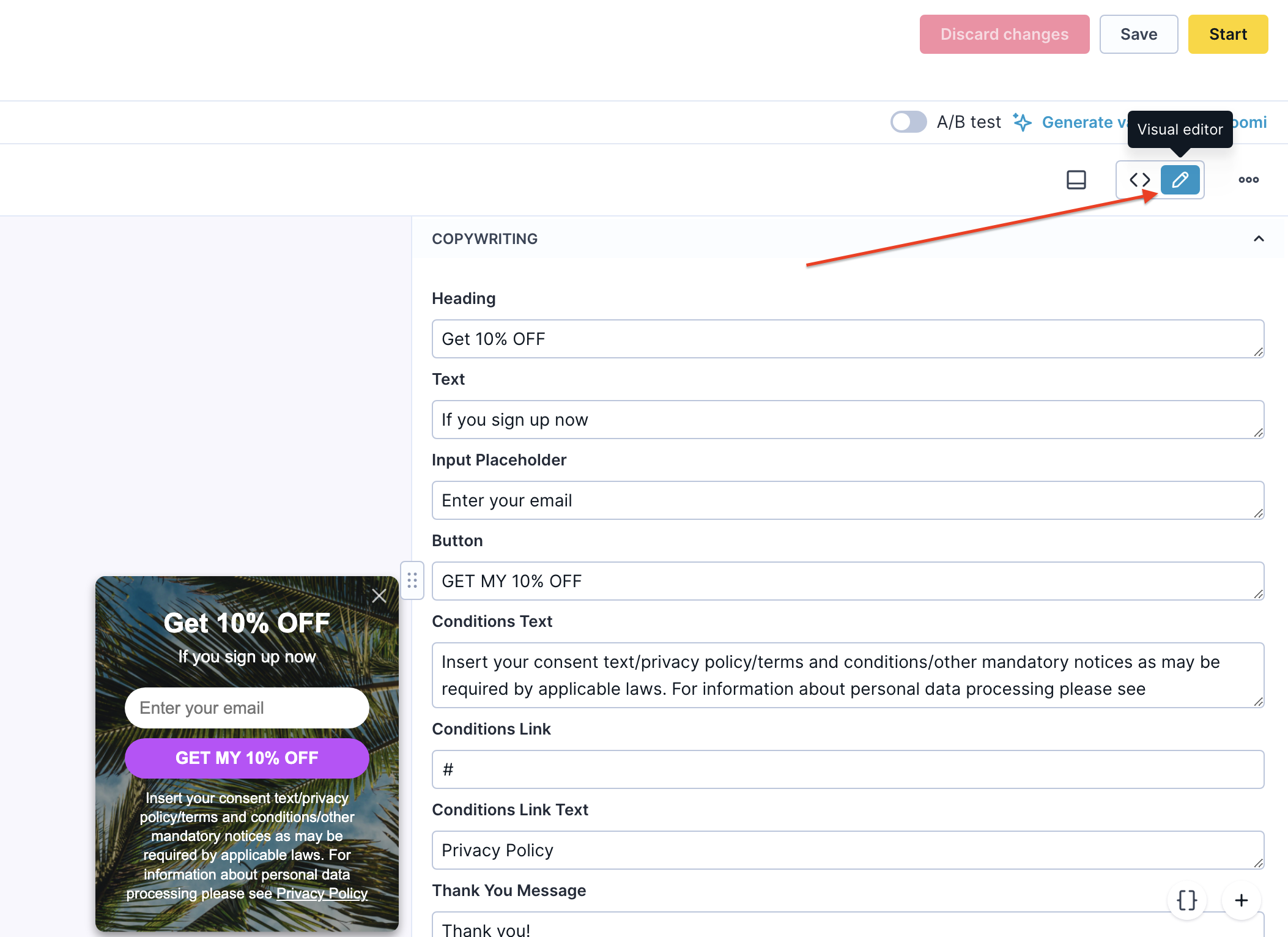
The visual editor lets you update a Weblayer without touching code. It is ideal for users with limited coding experience and works best when the template already exposes the settings you need (text, colors, positioning, buttons, background, and so on).
Changes appear in the live preview immediately.
Code editor
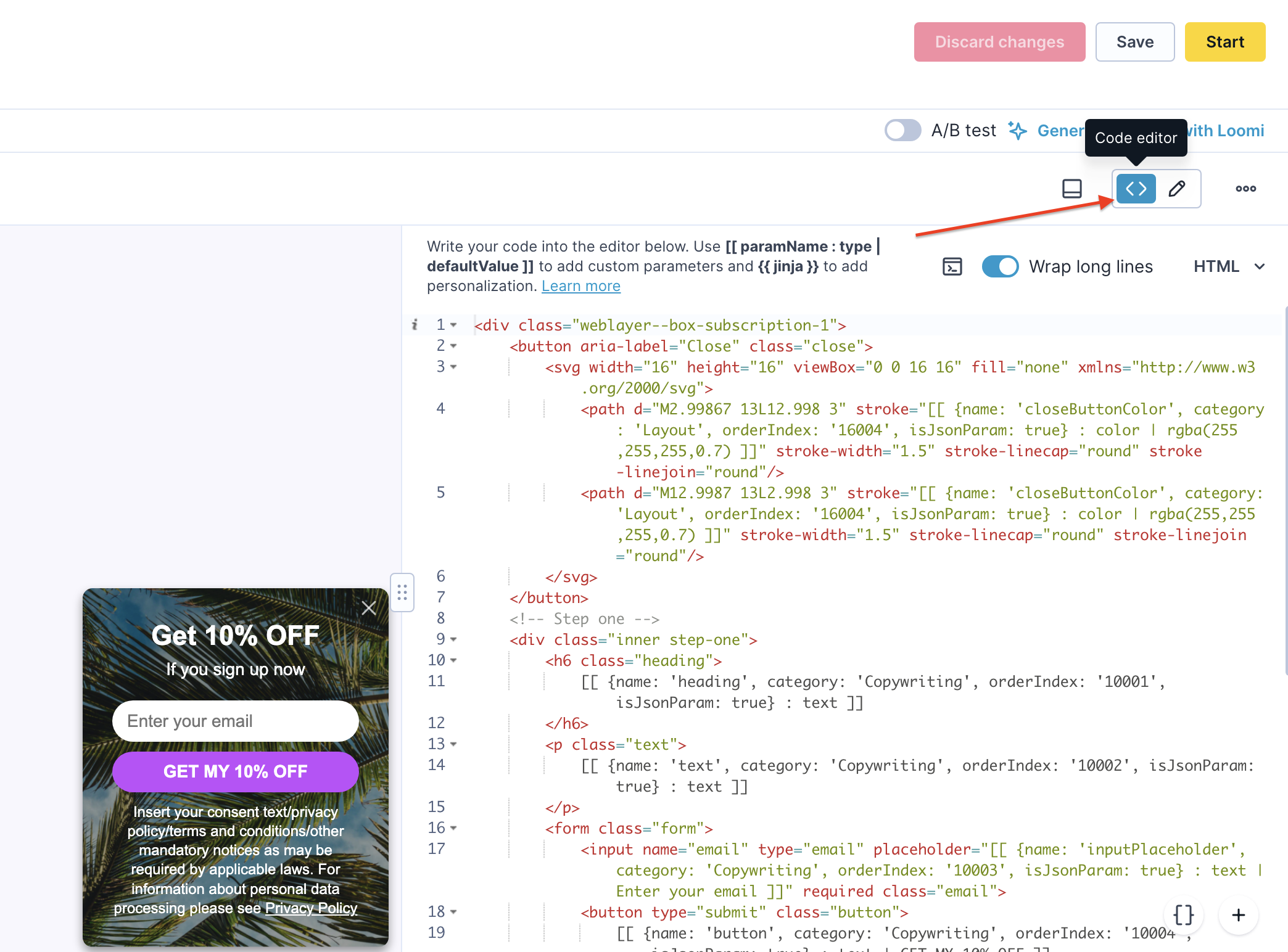
The code editor allows direct editing of HTML, CSS, and JavaScript. Use it when:
- You need full control over structure or behavior.
- The existing template doesn't expose the required settings.
- You want to create new editable parameters.
You can also define parameters with categories and tooltips in the code editor. These will then appear as organized controls in the visual editor.
Working with both builders
Weblayers support a hybrid workflow: define the structure and parameters in the code editor, then switch to the visual editor to update content.
This approach is particularly useful when one team member builds the template, and another maintains the content.
Typical Workflow:
- Create or edit the Weblayer in the code editor.
- Define parameters (including names, categories, and tooltips).
- Switch to the visual editor.
- Adjust the exposed settings without modifying the code.
Reusable content
You can reuse content across Weblayers through:
- Reusable Weblayer templates
- HTML blocks (found in Data & Assets → Asset manager → Weblayers or Blocks)
Important distinction from Emails: In Weblayers, the visual editor primarily modifies exposed template parameters, rather than offering a full drag-and-drop canvas like the email visual builder. For best maintainability, prepare a solid template in code (with well-exposed parameters) and reuse that template.
HTML blocks act mainly as reusable code snippets. Note that:
- One block can't reference another block using the block() function.
- HTML blocks can't be used in Webhooks.
Important Notes
- When defining template parameters in code, you must include isJsonParam: true. Without it, the parameter may not appear correctly in the visual editor.
- Be mindful of special character escaping, which differs between JavaScript and HTML contexts.
FAQ
Which editor should I use if I don’t want to edit code?
Use the visual editor. It provides an intuitive interface with UI controls.
Which editor should I use for full control?
Use the code editor. It gives you direct access to HTML, CSS, and JavaScript.
Can I prepare a template in code and let non-technical users update it?
Yes. Define parameters in the code editor, then expose them for easy editing in the visual editor.
Can Weblayers reuse saved components?
Yes, through templates and HTML blocks. However, reuse in Weblayers is primarily managed at the template/code level rather than through drag-and-drop assembly.
Summary
Choose the visual editor for simplicity when parameters are already exposed. Choose the code editor for advanced customization or new template development. Combining both gives you the best of flexibility and ease of maintenance.