What is recommendation coverage?
Coverage is a quick, indicative metric that shows how well your recommendation model's learning data aligns with your catalog. It is calculated on a sample of items, not on the entire catalog.
In practice, this means coverage is mainly a sanity check for data alignment, not a guarantee of how many items the model can recommend overall.
Using coverage to validate ID alignment
If there are no catalog filters applied and coverage shows 0%, this usually indicates that the IDs in the selected event do not match the item_id values in the catalog. In that case, you should:
- Verify that you selected the correct event attribute in the recommendation metric (for example,
purchase_item.item_id), and - Confirm that its values have the same format as the
item_idfield in the catalog.
Mismatched event data
Let's look at this example. Here we have a "Popular Right Now" recommendation template that uses the Purchase_example.item_id attribute to check what products customers are buying.
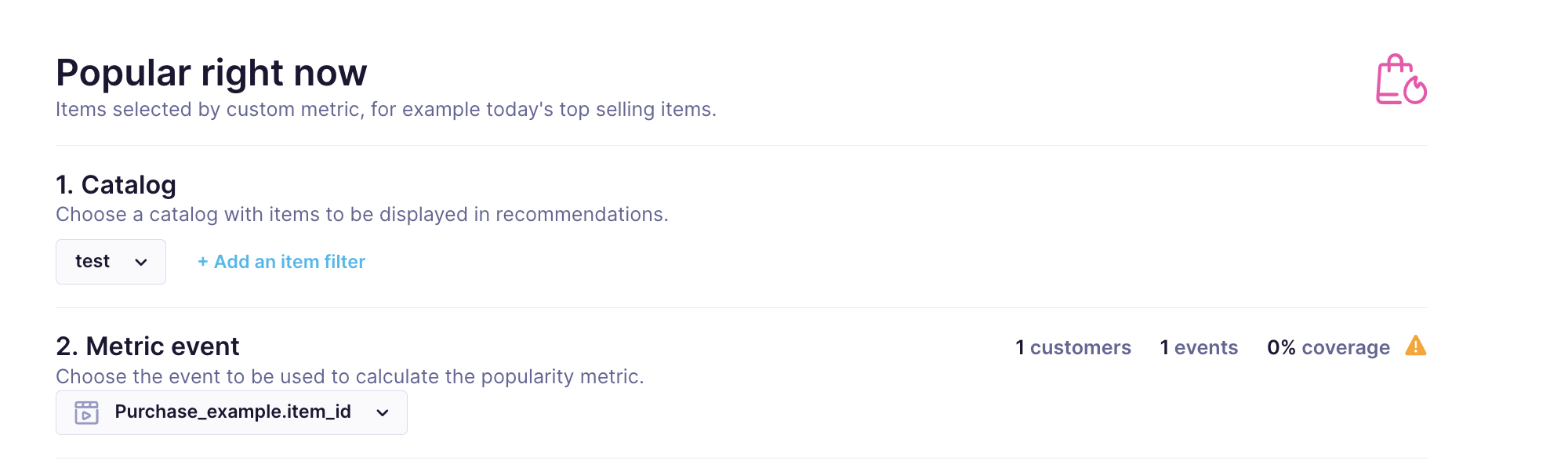
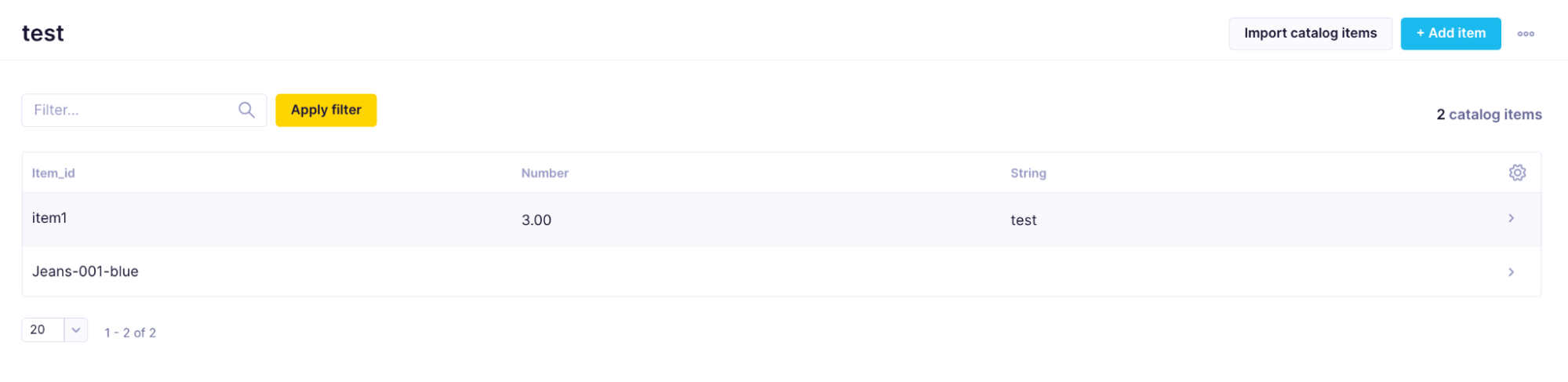
Currently, the coverage is 0%, meaning that the recommendation cannot find any item_ids from Purchase_example.item_id attribute values in the catalog test used in the recommendation. The catalog has 2 items, one of which has an ID Jeans-001-blue.
There is only one Purchase_example event in the database currently, and it has the following attributes:
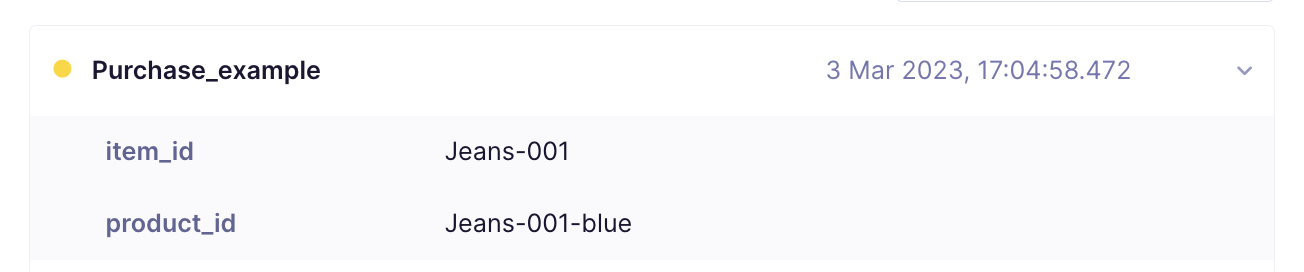
Because the IDs in the events and catalog differ, the model cannot match them, and coverage correctly shows 0%.
Catalog filters are too restrictive
If your catalog filter is strict (for example, only a very narrow category or items with many conditions), the sample used to compute coverage may not contain any items that pass the filter.
In that case, coverage may show 0% or be very low, even if your catalog itself contains valid items that could be recommended.
A quick check you can perform:
Temporarily remove the catalog filters in the recommendation setup (without saving the engine)\
Check whether the coverage value increases.
- If the coverage increases, it means the IDs are aligned, but the filters were too restrictive (same as in the example above)
- If the coverage remains at 0% even without filters, it is more likely an ID-mismatch issue, as described in the Mismatched event data section.
Will the recommendation still work when the coverage is 0%?
With strict filters, the recommendation will still work even if the coverage is 0%.
Because coverage is based on a sample, it can be 0% if that sample does not intersect with your filtered catalog. In that case:
- The Test tab may show random items that fit the catalog filter (because none of the sampled items match).
- Live recommendation calls will return valid items. You can test the engine in the email templates. If there are still not enough relevant results, try requesting more items (for example, increase
sizeto 100–300) so that the engine has enough room to surface products.