This guide walks you through saving an existing email campaign as a reusable template, exporting it as HTML, and accessing and reusing it later in your Asset Manager.
1. Saving your email campaign
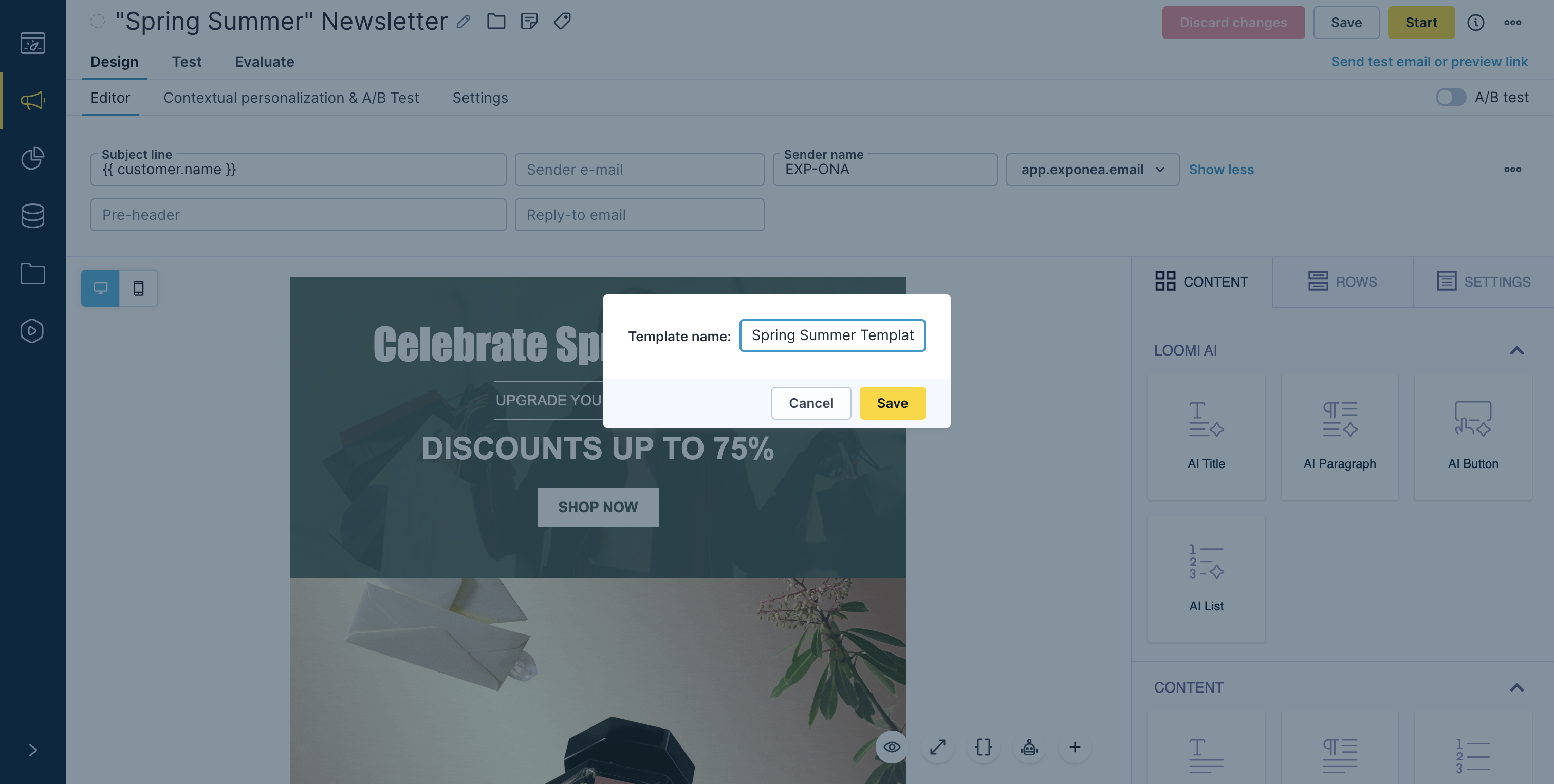
If you've designed an email campaign that you'd like to use again in the future — either within the platform or externally — you have two options: Save as a New Template or Save as HTML.
Steps:
- Open the campaign you want to reuse.
- Navigate to the Design (Editor) step of your campaign.
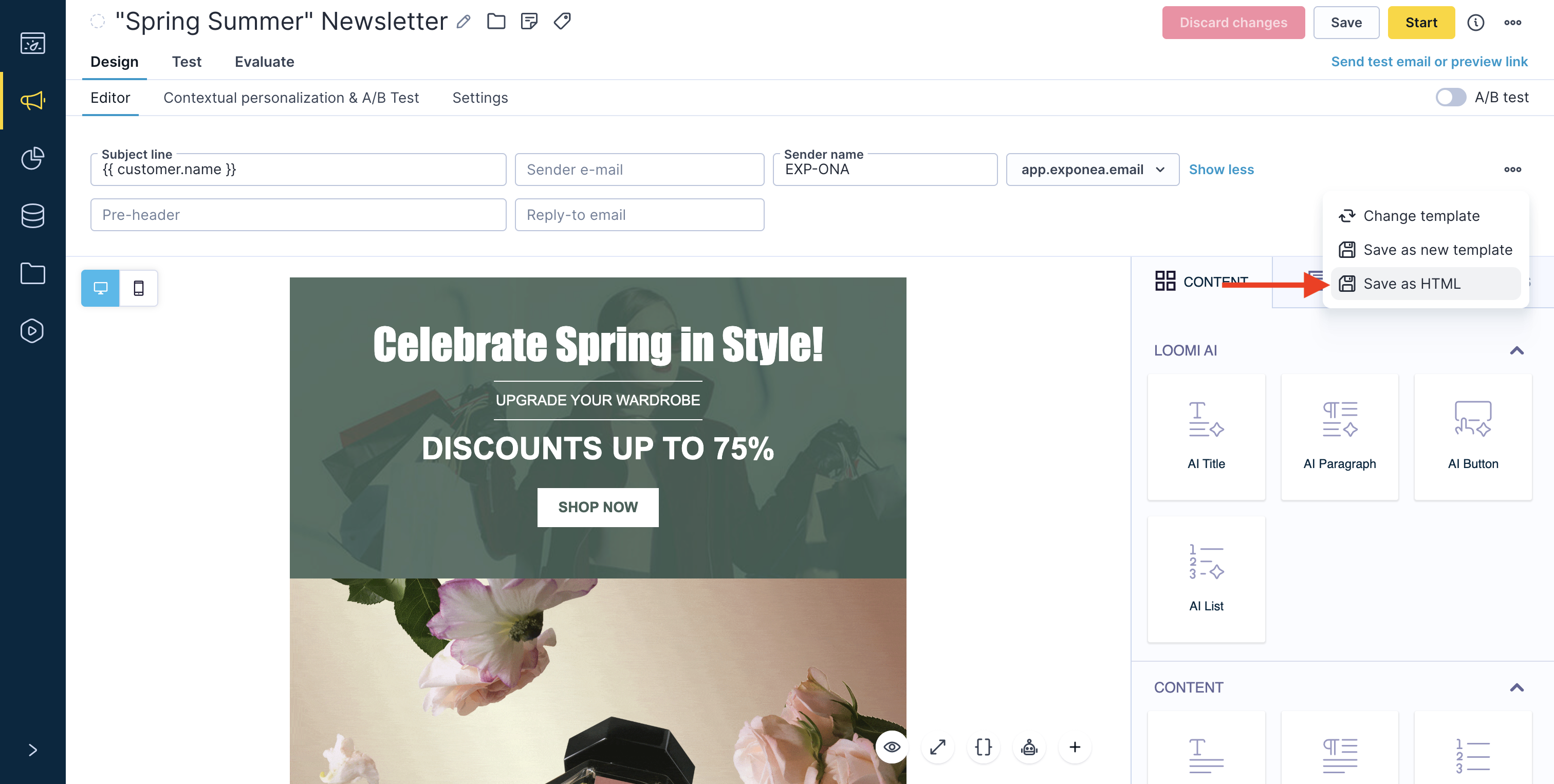
- In the top-left corner, click the three dots (⋯) menu located just below the A/B test toggle.
From the dropdown, select one of the following: Save as new template – to reuse the design in the platform, or Save as HTML – to export the email design as an HTML file for external use.
2. Reusing your saved template
When creating a new campaign or scenario, you can start from your saved design.
To reuse a saved template:
- In the campaign setup, go to the step where you select a template.
- Use the search bar or filter options to find the template name you previously saved.
Select it - and your email design will load instantly, ready for editing and sending.
3. Using the "save as HTML" option
The Save as HTML feature allows you to download your current email design as a fully formatted HTML file. It is useful when you want to back up your email design, share the template with colleagues or external partners, edit the layout in an external HTML editor, or re-import the design into the platform or another tool that accepts HTML templates.
How It Works
When you select Save as HTML, your current design is exported as a standalone HTML file. You can then open or modify this file in any HTML editor or upload it to another system.
4. Important notes and limitations
The exported HTML includes all dynamic elements and personalization syntax, but rendering will depend on the platform you use. Some platform-specific settings (for example, tracking, analytics, or audience targeting) aren't included in the exported file. If you later re-import the HTML into the platform, you may need to reconfigure these features manually.
Conclusion
You can now save your campaign as a reusable template for future use or export it as HTML for backup, sharing, or advanced editing. Both options help you work more efficiently, maintain design consistency, and ensure your creative assets are always ready when you need them.